
Many people spend a large portion of their day sitting at a desk. If your workstation is not set up correctly, it can gradually place unnecessary stress on your neck, shoulders, back and wrists, potentially leading to discomfort, fatigue and long-term musculoskeletal issues.
The good news is that small adjustments to your workstation can make a big difference to your comfort, posture and productivity throughout the day.
Use the checklist below to review your workstation and identify any areas that may need adjusting.
Chair Height
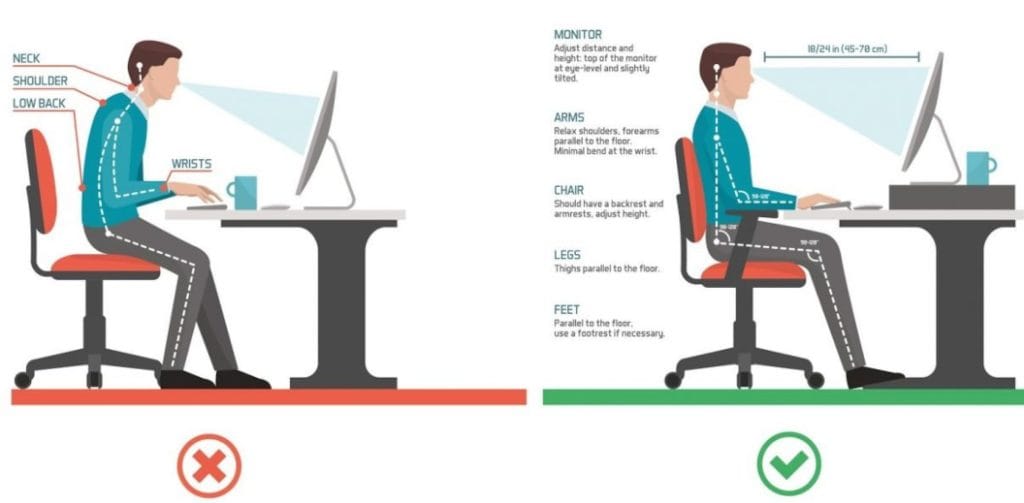
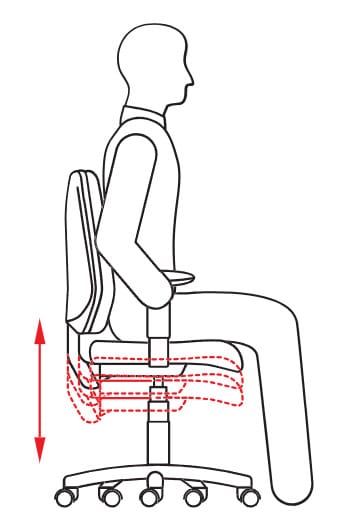
Your chair height should be adjusted so that your elbows sit slightly higher than your desk or keyboard. This position helps your shoulders stay relaxed and prevents excessive tension through the neck and upper back.
Your seat should be level and parallel with the floor, allowing your weight to be evenly distributed while sitting.
Your thighs should sit approximately horizontal, forming about a 90-degree angle at the hips.
Foot Position
Your feet should rest comfortably on the floor.
If your chair is too high and your feet cannot reach the ground, consider using a footrest. Proper foot support helps maintain good posture and reduces strain on your lower back and hips.
Back Support
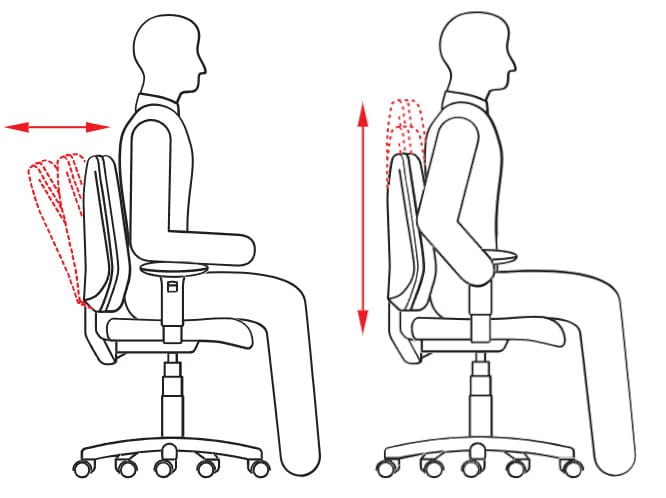
Your backrest should be upright and support the natural curve of your lower back, particularly around the waist area.
Good lumbar support helps maintain spinal alignment and reduces fatigue in the lower back during long periods of sitting.
Armrests
While many office chairs have armrests, they are not always ideal when working at a desk.
Armrests can sometimes prevent you from moving close enough to your desk, which may cause you to lean forward or round your shoulders. If this occurs, it is best to lower or avoid using the armrests while working.
Monitor Position
Your monitor should be positioned directly in front of you to prevent unnecessary twisting of the neck.
The top of your monitor should be level with, or slightly below, your eye level when seated.
The screen should also be approximately arm’s length away, allowing you to read comfortably without leaning forward.
Keyboard Placement
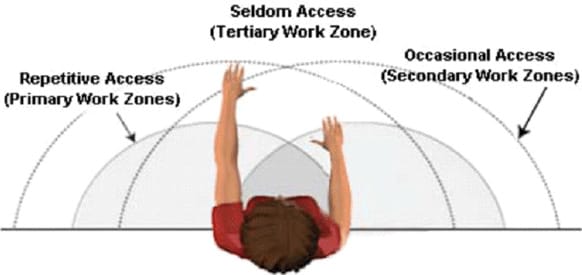
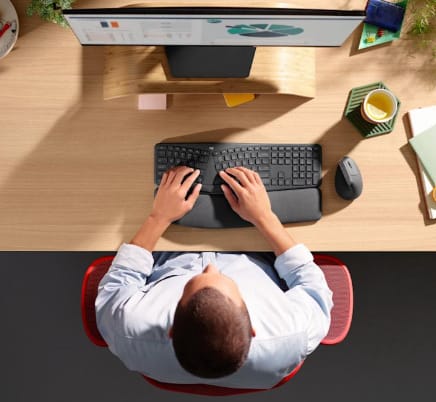
Your keyboard should sit directly in front of your monitor.
Leave about 8–10 cm of space in front of the keyboard so your hands can rest comfortably when you are not typing. This helps reduce strain on the wrists and forearms.
Mouse Position
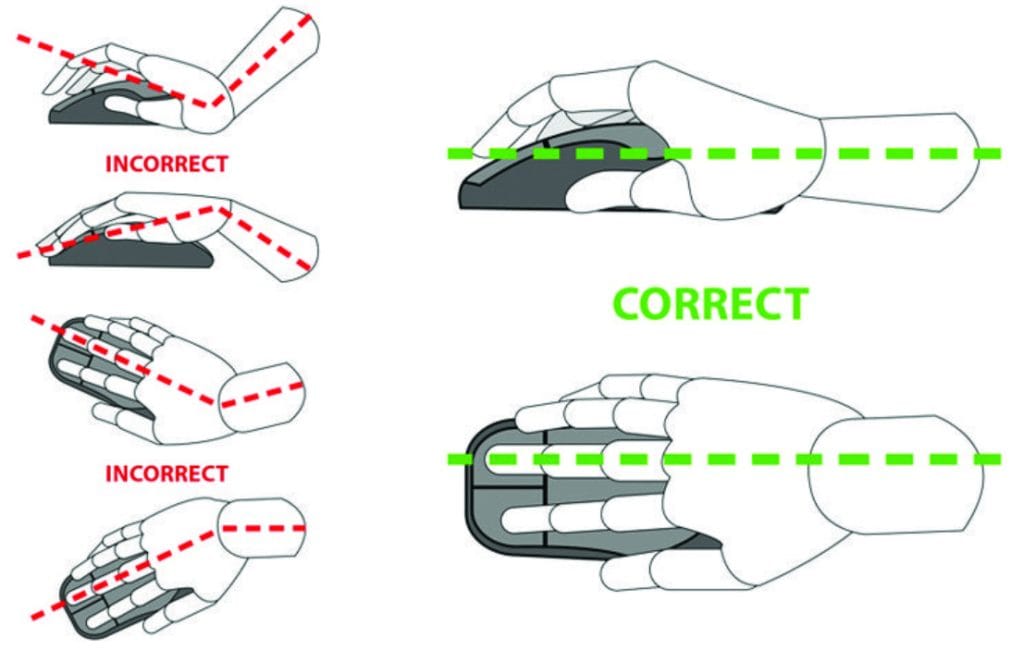
Your mouse should be positioned next to your keyboard, allowing your upper arm to stay close to your body and your shoulder to remain relaxed.
Avoid reaching too far for your mouse, as this can place unnecessary stress on your shoulder and neck.
Remember to Move
Even with the perfect workstation setup, staying in one position for too long can lead to stiffness and discomfort.
Try to:
- Stand or move every 60 minutes
- Perform simple stretches throughout the day
- Reset your posture regularly
Movement is one of the most effective ways to prevent workplace-related pain.
When to Seek Help
If you are experiencing ongoing neck pain, shoulder tension, headaches, wrist discomfort, or lower back pain related to desk work, it may be time to have your workstation and posture assessed by a professional.
The team at On Path Physio can help assess your workplace ergonomics, posture and movement patterns and provide tailored advice and treatment to help reduce pain and prevent further issues.
If you feel stuck adjusting your workstation or would like professional guidance, book an appointment with On Path Physio, and our physiotherapists will help you get back to working comfortably and pain-free.